

Video walkthrough
Before you begin
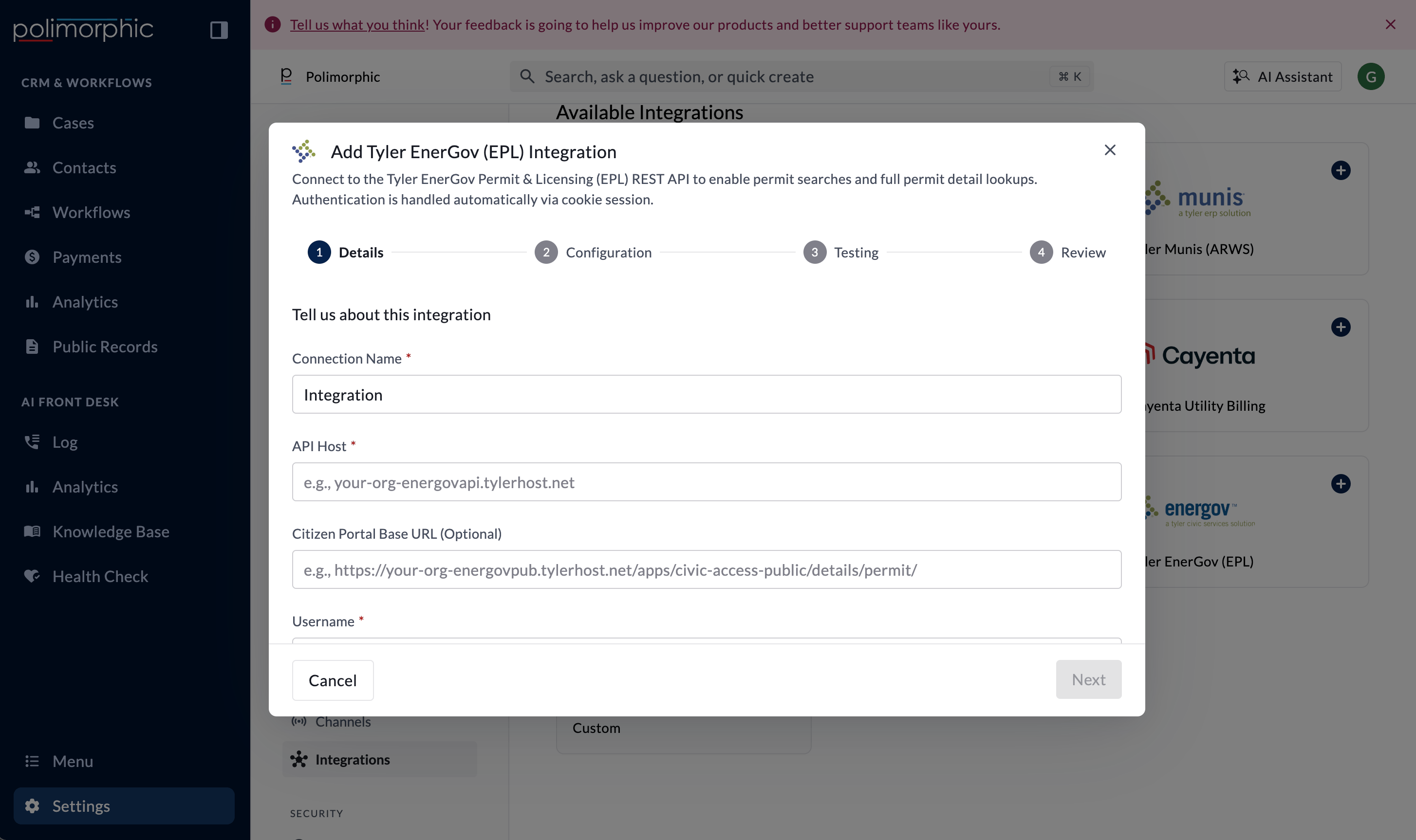
Have these ready:- The EnerGov API host
- An EnerGov API username and password
- The public Citizen Portal permit URL when the organization uses a nonstandard host or path (optional)
- A safe permit number for end-user testing
Credential provisioning guidance
The organization’s project owner should lead the request with its Tyler account representative or Tyler support. Include the permitting administrator and IT owner so the vendor request covers both API access and the organization’s EnerGov environment. Ask for:- EnerGov EPL API access
- Test and production API hosts and credentials, when both environments are available
- The public Citizen Portal base URL
- The supported API version, available permit-detail fields, and current authentication documentation
- Safe permit numbers and status definitions for testing
- The vendor’s standard process for any required agreement or security review
Setup fields
If the Citizen Portal field is empty, Polimorphic replaces
energovapi with energovpub and uses the standard civic-access permit path. Enter the full URL when the organization’s public host or path is different.
Polimorphic signs in with the username and password, stores the secret values in protected credential storage, and manages the EnerGov session cookie automatically.
What the integration can do
Polimorphic configures Get Permit Details. The capability:- Searches for a permit number.
- Retrieves the first matching permit’s details.
- Returns available permit status, type, work class, description, dates, valuation, balance, inspector or update information, attachment names, and a public Citizen Portal link.
What the setup test checks
The setup test signs in and runs a permit quick search. It doesn’t retrieve a known permit’s full details. A successful setup test confirms basic reachability and sign-in behavior, not the complete permit lookup. Test later with a safe permit number and verify the public portal link.Finish setup and test it
Follow Set up a hosted integration to complete the shared flow. After creation:- Review access for Chat, Voice, Search, Assistant, and Workflows.
- Test a known permit number.
- Confirm the returned details match EnerGov.
- Open the public Citizen Portal link.