

Change where a capability is used
Go to Organization Settings > Build & Deploy > Integrations. Under Connected Integrations, open the integration’s Configure dialog.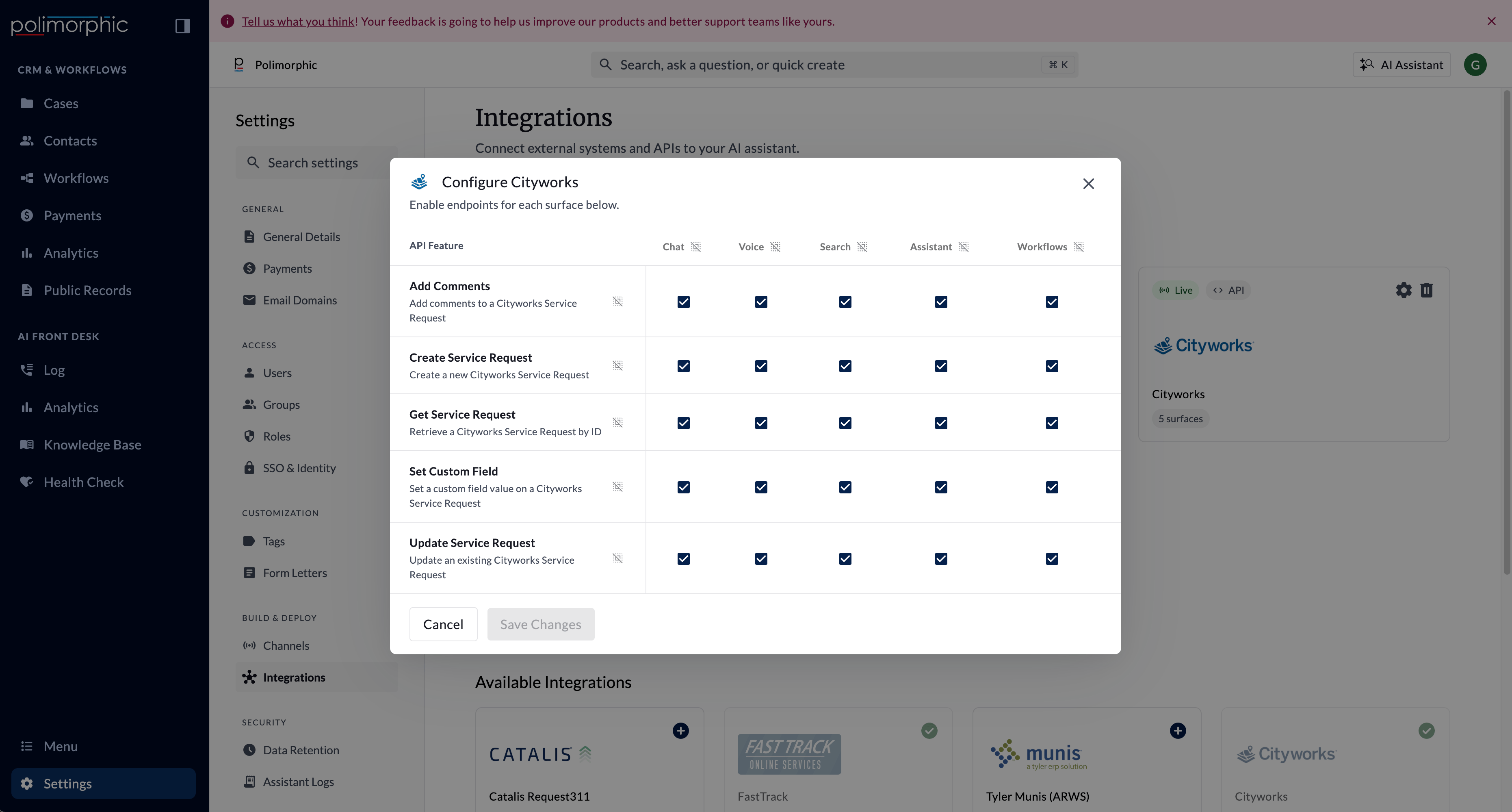
Understand the surface matrix
Rows represent API capabilities. Columns represent Polimorphic surfaces:- Chat: Resident or staff chat experiences configured to use integration tools.
- Voice: Voice experiences configured to use integration tools.
- Search: Search experiences that may call an integration while answering a question.
- Assistant: The internal staff Assistant.
- Workflows: Workflow automation that uses an integration capability.
Endpoint status and surface access are different
An endpoint has an overall active status and separate access settings for each surface.- If at least one surface is enabled, the endpoint remains active.
- If all five surfaces are disabled, the endpoint becomes inactive.
- For a custom endpoint, Enable for AI Agents and valid tool settings are also needed before agent-driven surfaces can use it.
- A connected card marked live means at least one endpoint is active. It doesn’t confirm that credentials are current, the provider is available, or every channel can use the endpoint.
Turn on only what each channel needs
Give each channel only the capabilities it needs. Examples:- Keep write operations off resident-facing Chat and Voice unless the use case and confirmation flow have been approved.
- Limit staff-only document access to Assistant.
- Keep identity-protected account data off surfaces that don’t collect the required verification information.
- Disable unused endpoints instead of leaving them available for possible future use.